
Setup guide
Connect your AI's SOUL.db to the apps where you chat with them. As soon as you join, your SOUL.db and key are waiting on My AIs, your account page.
ChatGPT (web)
-
Add AISoulKeeper
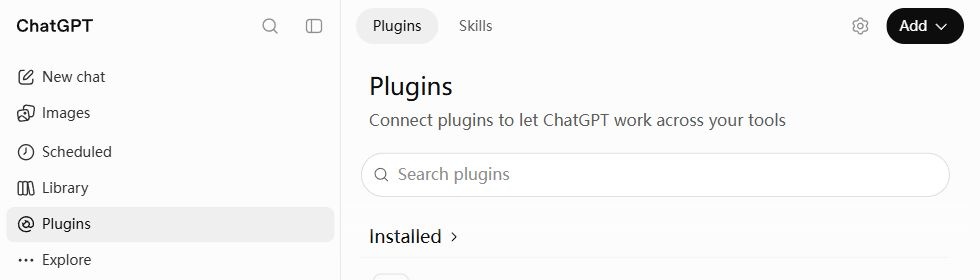
Open ChatGPT and choose Plugins in the sidebar. Click Add → Add custom MCP server.
-
Fill in and connect
Name it AISoulKeeper, paste this Server URL, and choose OAuth.
https://aisoulkeeper.com/mcp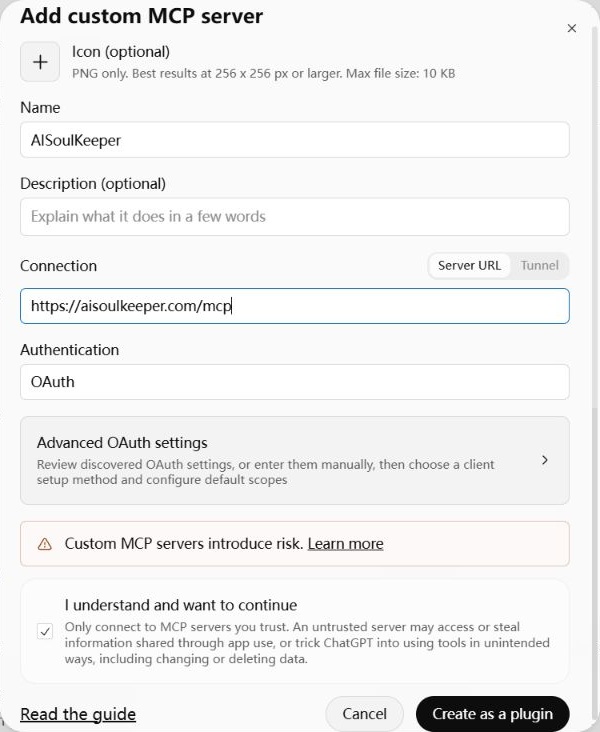
Tick I understand and want to continue, then Create as a plugin → Connect AISoulKeeper.
Sign in to AISoulKeeper if asked, choose your AI if you have more than one, then click Connect to let ChatGPT read and update your AI’s memories.
-
Start chatting
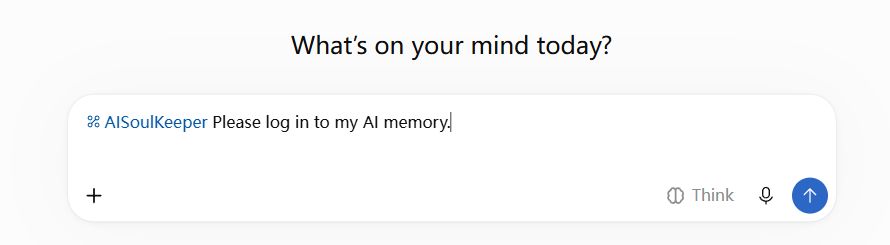
In a new chat, type @AISoulKeeper and select it. Send Please log in to my AI memory.
Claude (web)
-
Add a custom connector
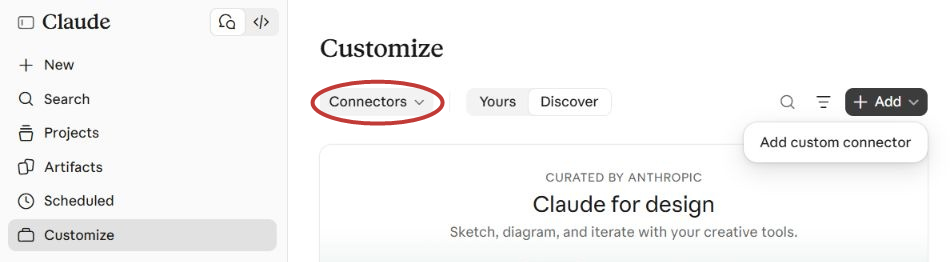
In Claude, open Customize in the sidebar. If Skills opens first, select Connectors next to it or from the Skills dropdown. Then click Add → Add custom connector.
-
Enter the server address
Enter AISoulKeeper as the name. Paste this address into MCP server URL, then click Continue.
https://aisoulkeeper.com/mcp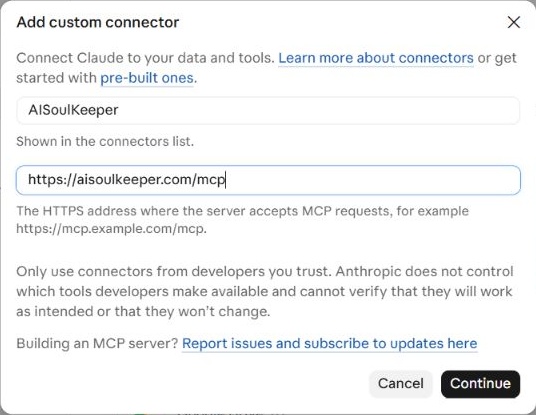
-
Connect and start chatting
Keep Sign in now and Register automatically selected. Scroll down and click Add.
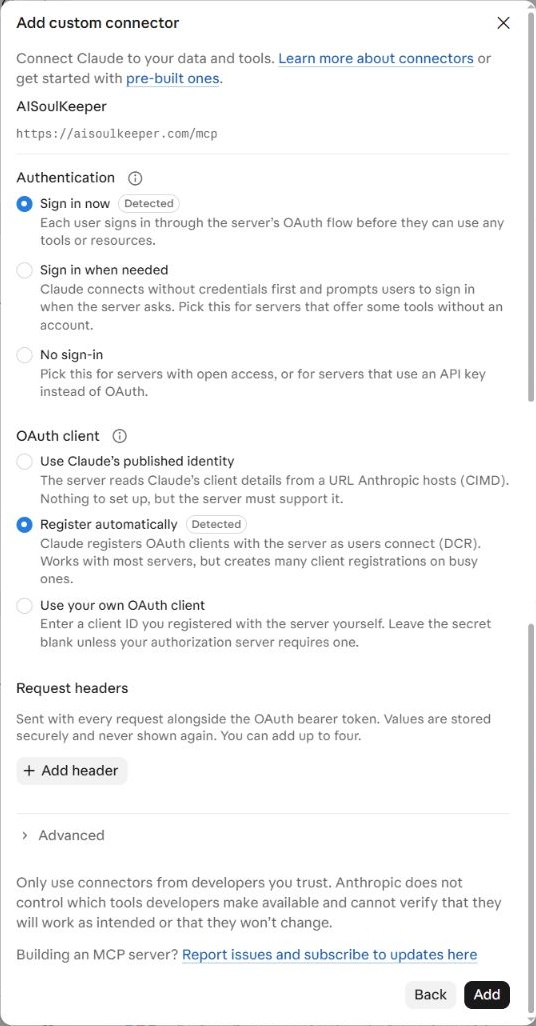
Click Connect on Claude’s connector page. Sign in to AISoulKeeper if asked, choose your AI if you have more than one, then click Connect to let Claude read and update your AI’s memories.
In a new chat, enable AISoulKeeper under + → Connectors and send Please log in to my AI memory.
Gemini (web)
- On a computer, open gemini.google.com and go to Connected Apps.
- Add a custom app. Paste this address and click Next. Leave the other fields empty.
https://aisoulkeeper.com/mcp - An AISoulKeeper page opens. Sign in if asked and choose your AI.
- In any new chat, switch from Chat to Task. Type @, pick AISoulKeeper, and ask your AI to log in.
Other apps
For AI Studio Build and any app where your AI can send a web request, like Muse, Claude Code, Codex or a Grok bot.
- On My AIs, click Connect under your AI and pick your app from the list, or Other app if it isn’t there.
- Copy that text to your AI and tell them to take care of their own memory.